
Quickstart
Register, create an API key, and make your first call in about 5 minutes.
Create an account
Register at linkex.ai/sign-up — email, GitHub, or another supported OAuth provider. New accounts may include trial credit; check the console banner.
Create an API key
In the console, open Keys and click Add Key. Give it a name and copy the generated key — it starts with sk-.
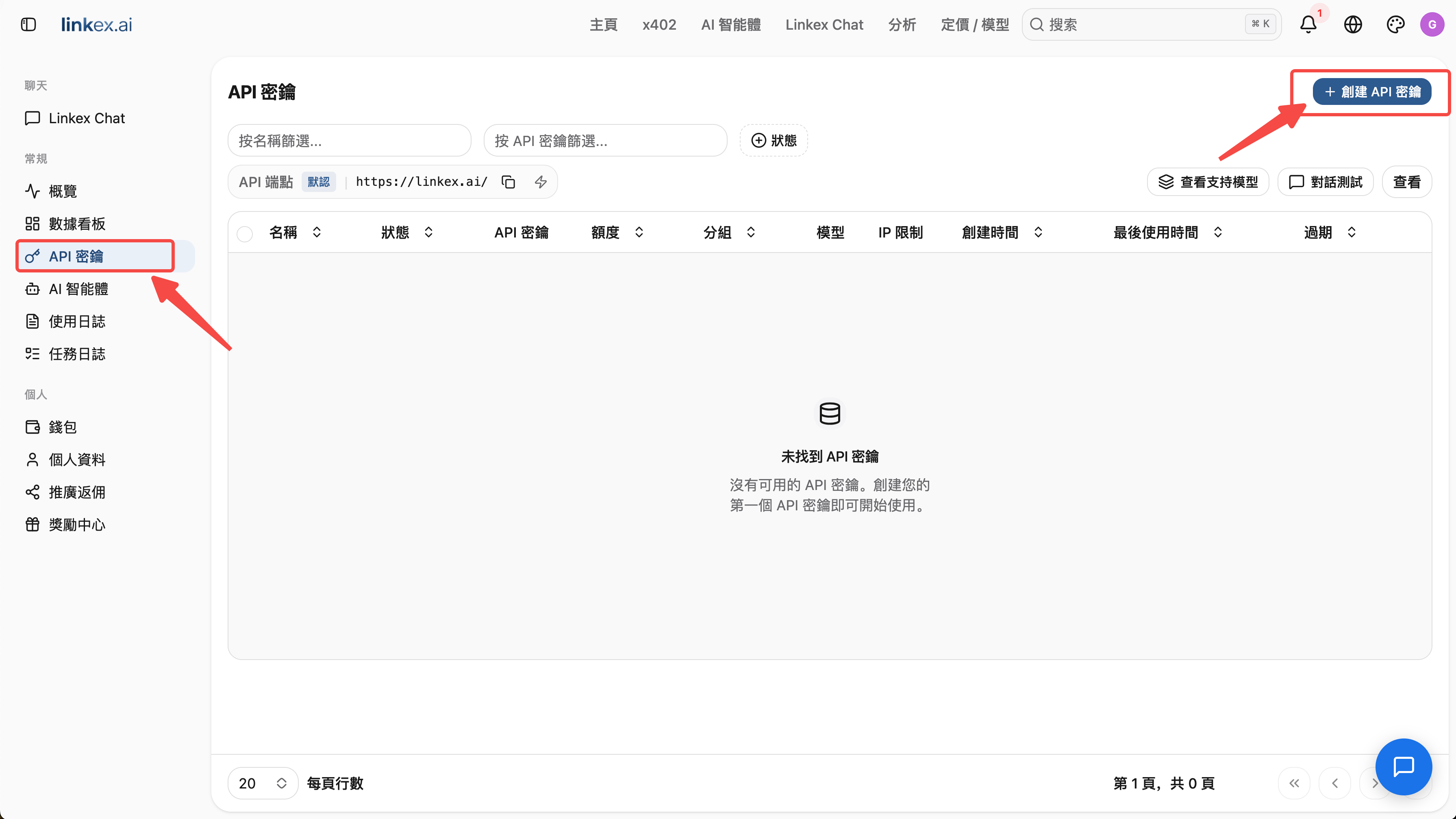
Store the key securely. Anyone holding it can spend your credits. If a key leaks, delete or disable it on the Keys page and create a new one.
Make your first call
Point any OpenAI-compatible client at https://linkex.ai/v1:
curl https://linkex.ai/v1/chat/completions \
  -H "Content-Type: application/json" \
  -H "Authorization: Bearer sk-YOUR_KEY" \
  -d '{
    "model": "gpt-4o",
    "messages": [{"role": "user", "content": "Hello from Linkex!"}]
  }'
from openai import OpenAI
client = OpenAI(
base_url="https://linkex.ai/v1",
api_key="sk-YOUR_KEY",
)
resp = client.chat.completions.create(
model="gpt-4o",
messages=[{"role": "user", "content": "Hello from Linkex!"}],
)
print(resp.choices[0].message.content)import OpenAI from 'openai';
const client = new OpenAI({
baseURL: 'https://linkex.ai/v1',
apiKey: 'sk-YOUR_KEY',
});
const resp = await client.chat.completions.create({
model: 'gpt-4o',
messages: [{ role: 'user', content: 'Hello from Linkex!' }],
});
console.log(resp.choices[0].message.content);Model list: GET https://linkex.ai/v1/models, or browse the pricing page.
Top up when you run low
Every response deducts credits. When the balance runs out, API calls return an insufficient-balance error — head to Buying Credits and pick a rail: crypto wallet, autonomous x402, or Alipay+.