
快速上手
快速開始
註冊、建立 API Key、完成第一次呼叫,約需 5 分鐘。
建立帳戶
前往 linkex.ai/sign-up 註冊——支援電子郵件、GitHub 或其他 OAuth 方式。新帳戶可能附贈試用額度,請留意控制台橫幅。
建立 API Key
在控制台開啟 Keys 頁面,點擊 Add Key。命名後複製產生的 Key——以 sk- 開頭。
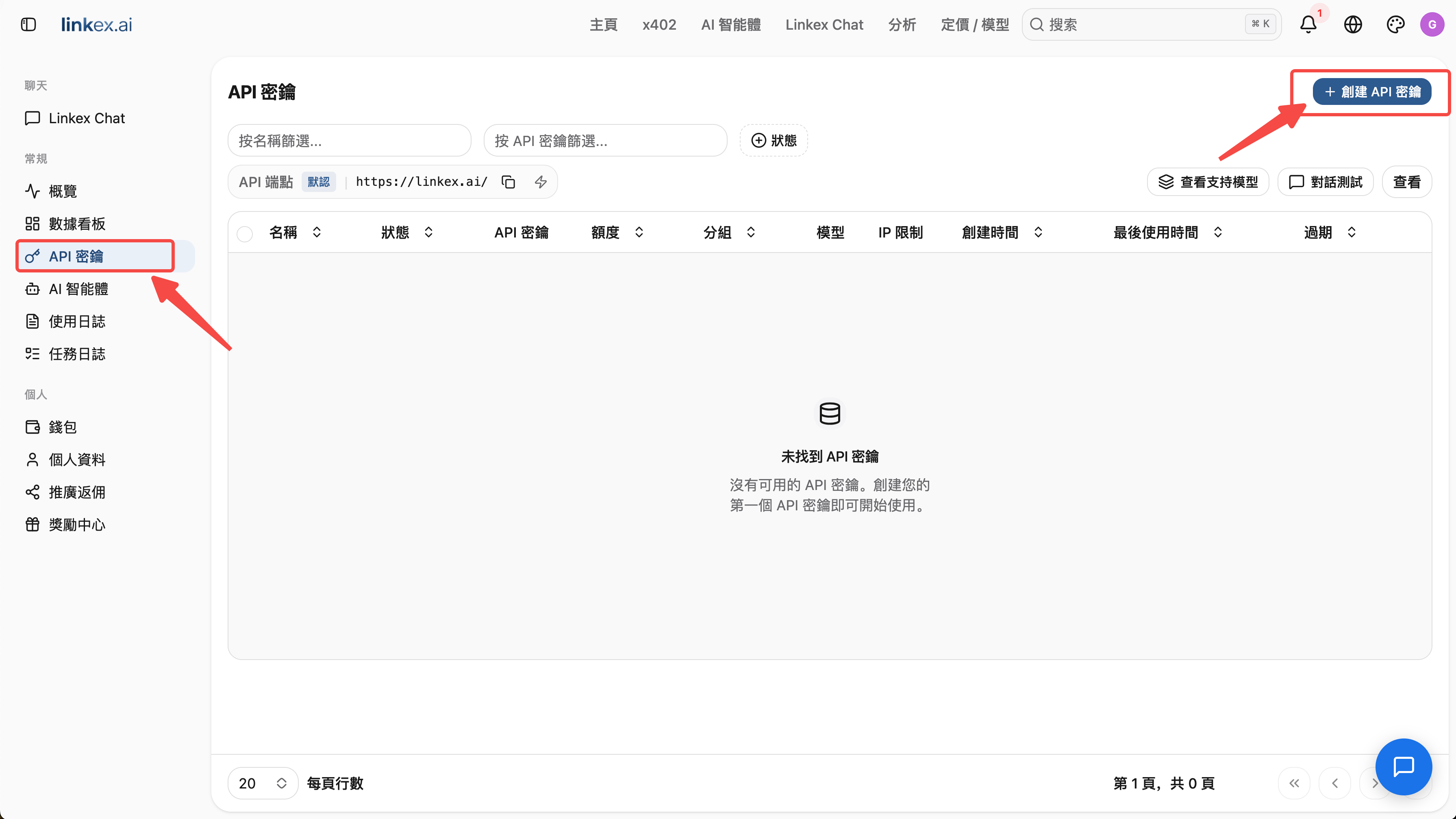
請妥善保存 Key。持有 Key 的任何人都能消耗你的額度。若 Key 洩露,請立即在 Keys 頁面刪除或停用,並建立新的 Key。
發出第一次呼叫
將任何 OpenAI 相容用戶端指向 https://linkex.ai/v1:
curl https://linkex.ai/v1/chat/completions \
  -H "Content-Type: application/json" \
  -H "Authorization: Bearer sk-YOUR_KEY" \
  -d '{
    "model": "gpt-4o",
    "messages": [{"role": "user", "content": "Hello from Linkex!"}]
  }'
from openai import OpenAI
client = OpenAI(
base_url="https://linkex.ai/v1",
api_key="sk-YOUR_KEY",
)
resp = client.chat.completions.create(
model="gpt-4o",
messages=[{"role": "user", "content": "Hello from Linkex!"}],
)
print(resp.choices[0].message.content)import OpenAI from 'openai';
const client = new OpenAI({
baseURL: 'https://linkex.ai/v1',
apiKey: 'sk-YOUR_KEY',
});
const resp = await client.chat.completions.create({
model: 'gpt-4o',
messages: [{ role: 'user', content: 'Hello from Linkex!' }],
});
console.log(resp.choices[0].message.content);模型清單:GET https://linkex.ai/v1/models,或瀏覽定價頁。