
Integrations
Cursor
Use Linkex models inside the Cursor editor via the OpenAI base-URL override.
Cursor lets you override the OpenAI API endpoint, which is all Linkex needs.
Prerequisites: Cursor installed; a Linkex API key.
Configure
Open model settings
Cursor Settings → Models (Cmd/Ctrl+Shift+J → Models).
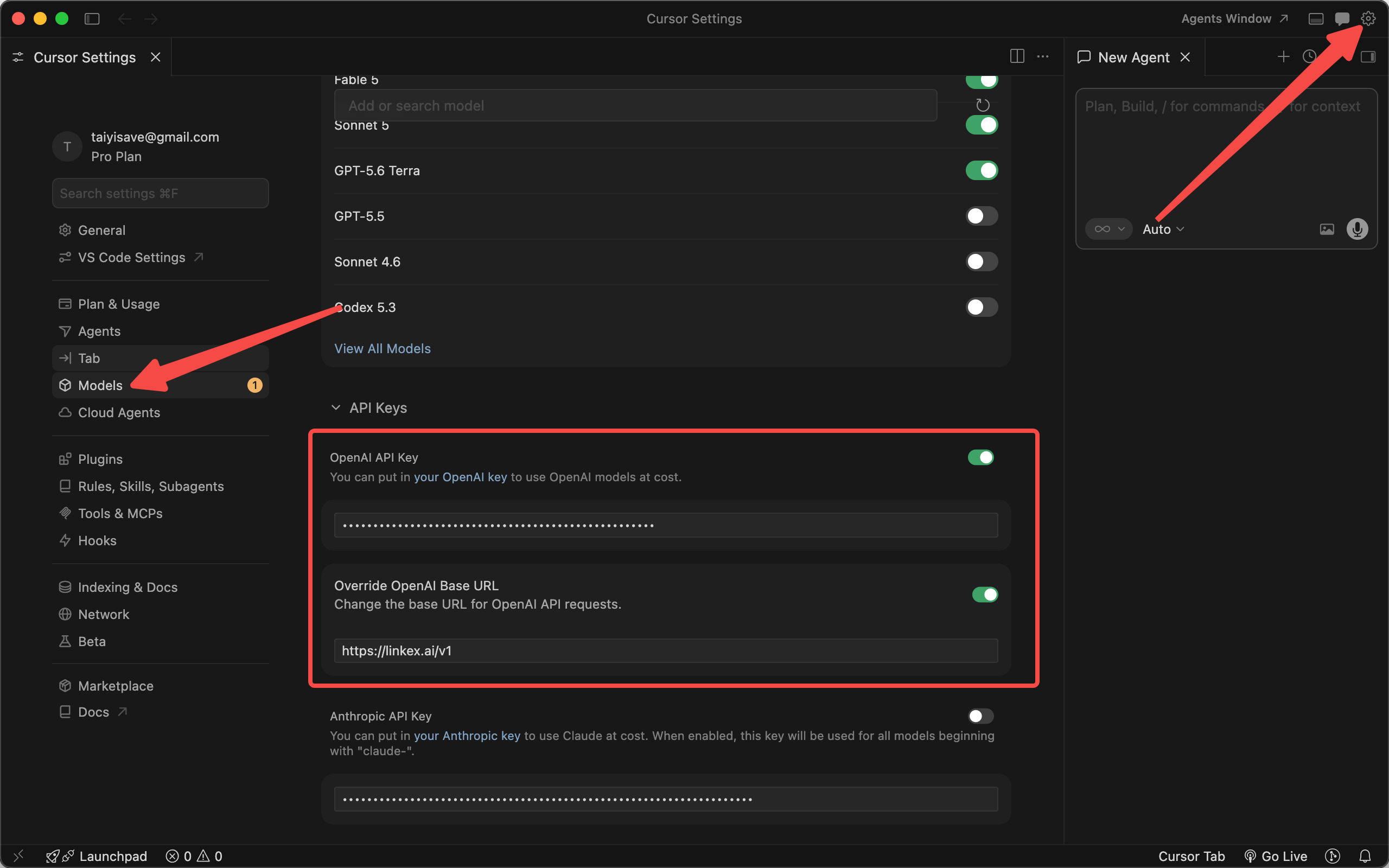
Set the key and override the base URL
- Paste your Linkex key (
sk-...) into the OpenAI API Key field. - Enable Override OpenAI Base URL and enter:
https://linkex.ai/v1- Click Verify — Cursor sends a test request through Linkex.
Add the models you want
Cursor's built-in model list may not match Linkex's catalog. Use Add model to register the exact ids you use, e.g. gpt-4o, claude-sonnet-4-5, deepseek-chat — copy names from linkex.ai/pricing.
Caveats
- The override applies to models Cursor routes through the OpenAI-compatible API. Cursor-native features that bypass the custom endpoint (e.g. Tab autocomplete with Cursor's own models) will still use Cursor's infrastructure.
- Usage appears in Console → Usage Logs attributed to the key you pasted — give Cursor its own key for clean accounting.
Troubleshooting
| Symptom | Fix |
|---|---|
| Verify fails with 401 | Wrong or disabled key |
| Verify fails with model error | The default verification model isn't enabled on your account — add a model you do have first, then verify |
| Slow/blank replies | Check status of the specific upstream model on the rankings page; try another model |